
Advertise
Build, audit and optimise paid across networks.
Advertise brings Meta, Google, LinkedIn and Pinterest campaign building, conversion tracking health, creative production and AI optimisation into one workspace.
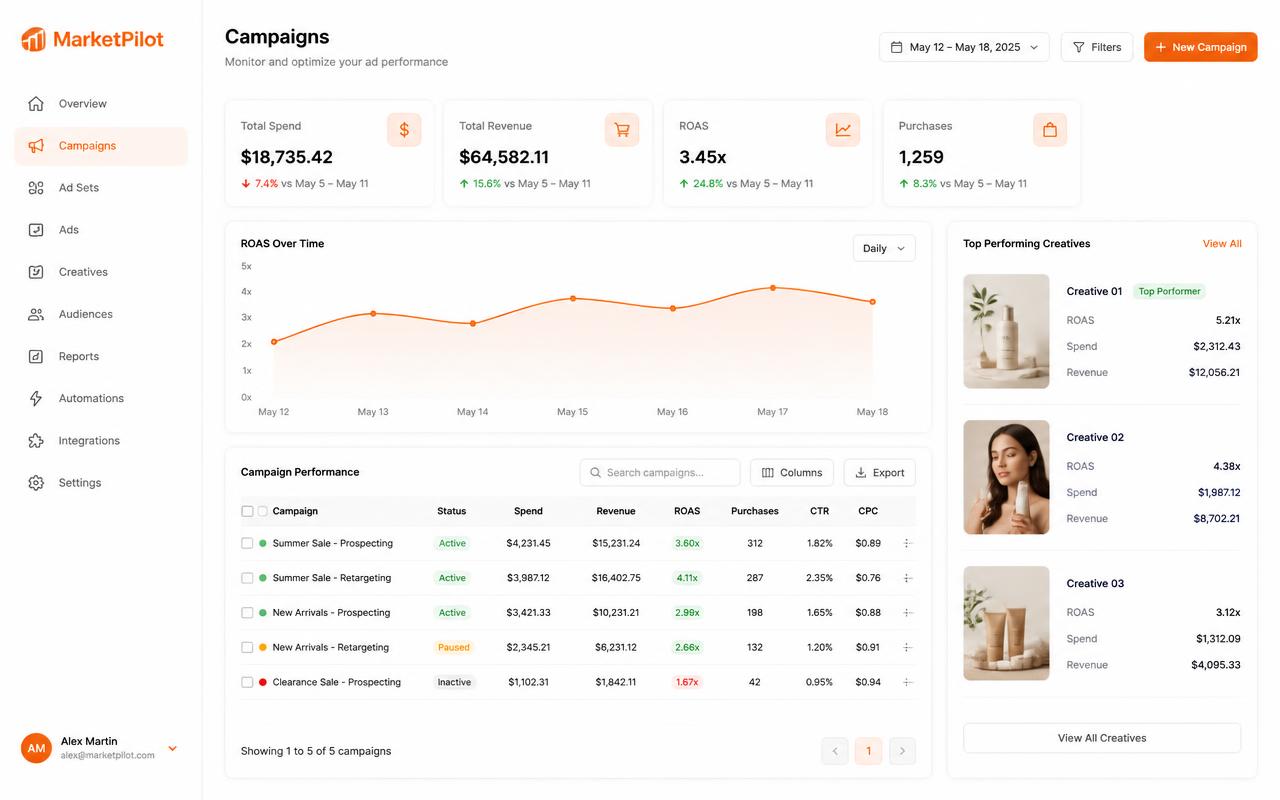
Guided campaign builders per network, with validation before submission
Conversion intelligence that flags broken tracking before you waste spend
Paid-partnership ads with creator code verification and joint-identity previews
Inside Advertise
Every screen in the Advertise module — exactly what you get from day one.
Campaigns
Create and manage campaigns, ad sets and ads for Meta, Google, LinkedIn and Pinterest.
Advertise → Campaigns
Shop
Product catalogues, feeds, collections and Merchant Center sync.
Advertise → Shop
Ad Intelligence
Cross-network performance, pacing and wasted-spend detection.
Advertise → Ad Intelligence
Conversion Intelligence
Event mapping, pixel health and conversion-value auditing.
Advertise → Conversion Intelligence
AI Recommendations
Ranked actions with expected impact and effort for each campaign.
Advertise → AI Recommendations
Ad Studio Pro
Creative variants, copy testing and format-native previews.
Advertise → Ad Studio Pro
Ads Reports
Executive summaries, KPI grids and per-channel PDF reporting.
Advertise → Reports
How teams run it
- 1
Check tracking
Conversion intelligence verifies events before launch.
- 2
Build & launch
Guided builders with creative pulled from the content library.
- 3
Optimise
Act on ranked recommendations and export a client-ready report.
What changes
Less wasted spend
Tracking and pacing problems surface early, not at month end.
Creative that keeps up
Variants produced in Create, launched without leaving the app.