
Connecting Your B2B Engine: A Practical Guide to LinkedIn Integration
August 22, 2026 · 7 min read
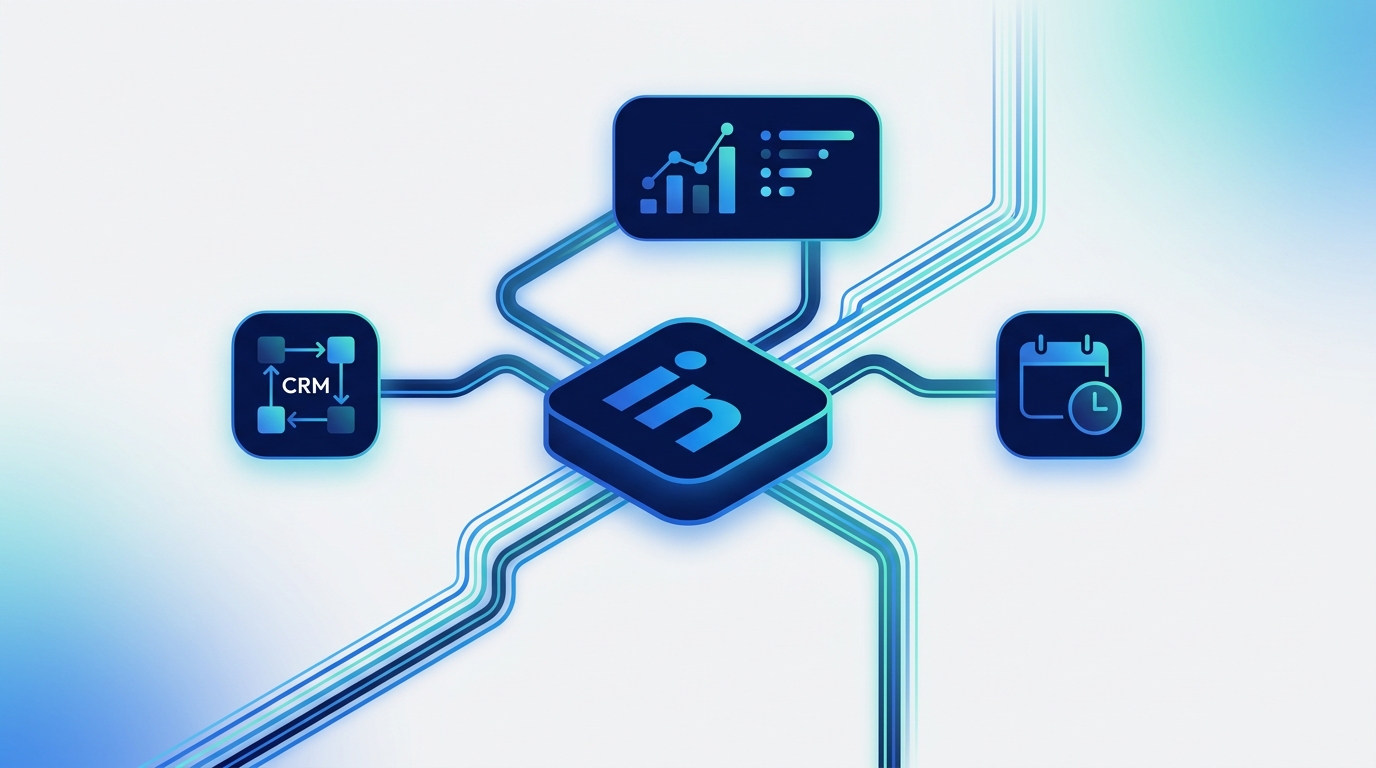
LinkedIn integration is the process of connecting your LinkedIn Company Page and Ads account to other software applications, such as marketing platforms, CRMs, or analytics tools. This connection, typically made via an API, allows for the automated exchange of data and enables streamlined workflows, saving time and unlocking deeper insights into your professional networking efforts.
For B2B marketing teams, this isn't just a technical convenience—it's a strategic necessity. In a world where every click, connection, and conversion matters, a disconnected LinkedIn strategy leaves valuable data and efficiency on the table. Let's dive into how you can build a connected B2B engine.
Why LinkedIn Integration is Non-Negotiable for Modern B2B Marketing
Operating LinkedIn in a silo is like running a single, high-powered engine without connecting it to the rest of the vehicle. It makes a lot of noise but doesn't move your business forward efficiently. Strategic integration connects that engine to your sales, analytics, and content operations, creating a cohesive marketing machine.
Here’s why it’s critical:
- A Single Source of Truth: Integration centralizes your data. Instead of pulling metrics from LinkedIn, another from your ad manager, and a third from your scheduling tool, you get a unified view of performance. This eliminates data discrepancies and provides a holistic understanding of your campaign's impact.
- Bridging the Marketing-Sales Gap: When you connect LinkedIn with your CRM (like Salesforce or HubSpot), leads generated from ads or content can be automatically routed to your sales team. This provides them with crucial context about the lead's engagement history, enabling more relevant and timely follow-ups.
- Streamlined Content Operations: Managing a content calendar across multiple platforms is chaotic. An integrated system allows you to schedule, review, and approve LinkedIn content alongside your posts for Meta, Pinterest, and other networks. This ensures brand consistency and simplifies complex approval workflows, especially in larger teams.
- Enhanced Ad Targeting and ROI: Integrating LinkedIn Ads with your marketing platform allows you to create sophisticated audiences. You can retarget website visitors, build lookalike audiences from your best customers, and measure the true ROI by connecting ad spend directly to lead generation and sales data in your CRM.
- Scalable Efficiency: As your team and marketing efforts grow, manual processes break down. Integration automates repetitive tasks like reporting, data entry, and post-scheduling. This frees up your team to focus on high-value activities like strategy, creative development, and community engagement. Platforms like MarketPilot are designed specifically to provide this unified command center, consolidating organic and paid social efforts across all major B2B and B2C platforms.
Key Types of LinkedIn Integrations for Marketers
Not all integrations are created equal. They serve different purposes within the marketing ecosystem. Understanding the main categories helps you identify where the biggest opportunities are for your specific tech stack.
Marketing & Social Media Management Platforms
This is the most common and foundational integration for marketing teams. Connecting LinkedIn to a central platform allows you to manage your content and advertising in one place.
- What it does: Schedules organic posts, manages and optimizes ad campaigns, consolidates comments and messages into a unified inbox, and generates cross-channel analytics reports.
- Why it matters: It’s the hub for your social media operations, providing efficiency and a bird's-eye view of your entire social strategy, not just LinkedIn.
Customer Relationship Management (CRM) Systems
This integration is crucial for B2B lead generation and sales alignment. It connects the top of the marketing funnel (LinkedIn) with the bottom (sales).
- What it does: Automatically syncs leads from LinkedIn Lead Gen Forms to your CRM, enriches existing contact profiles with LinkedIn data, and tracks the journey from initial engagement to closed deal.
- Why it matters: It ensures no lead is lost and provides invaluable intelligence to the sales team, dramatically improving conversion rates.
Analytics and Business Intelligence (BI) Tools
For data-driven teams, a direct LinkedIn integration might not be enough. Connecting it to a BI tool allows for more advanced analysis.
- What it does: Pulls raw LinkedIn data (organic and paid) into tools like Tableau, Google Data Studio, or Power BI. You can then blend this data with website analytics, sales data, and other marketing channel information.
- Why it matters: It facilitates deep-dive analysis and custom dashboard creation, helping you answer complex business questions that standard platform analytics can't address.
Employee Advocacy Platforms
Your employees are one of your most powerful marketing assets. These tools make it easy to leverage their networks.
- What it does: Allows you to curate company content and suggest pre-approved posts for employees to share on their personal LinkedIn profiles. The platform then tracks the collective reach and engagement.
- Why it matters: It amplifies your organic reach and builds brand credibility through trusted, authentic voices.
The Integration Showdown: Native vs. Third-Party vs. All-in-One
When it comes to connecting your tools, you have a few options. Each has its own set of pros and cons depending on your team's technical expertise, budget, and strategic goals.
| Feature | Native Integration (e.g., HubSpot <> LinkedIn) | Third-Party Connectors (e.g., Zapier) | All-in-One Platforms (e.g., MarketPilot) |
|---|---|---|---|
| Ease of Setup | Generally simple, guided setup. | Moderate. Requires building 'zaps' or workflows. | Very simple. Pre-built, fully managed connection. |
| Cost | Often included in platform subscription. | Subscription-based, scales with usage. | Included in the platform subscription fee. |
| Data Depth | Good, but limited to the specific use case. | Can be limited by the connector's API access. | Deep and comprehensive for its core functions. |
| Workflow Power | Limited to the two connected tools. | Highly flexible, connects thousands of apps. | Powerful within the platform's ecosystem. |
| Maintenance | Low. Maintained by the platform vendors. | Moderate. 'Zaps' can break if an API changes. | Zero. Fully managed by the platform provider. |
| Best For | Simple, direct connections between two core tools. | Teams needing to connect niche or various apps. | Teams wanting a single, unified marketing OS. |
A Practical Checklist for Choosing Your LinkedIn Integration Solution
Ready to get started? Don't just pick the first tool you see. Use this checklist to make a strategic decision that aligns with your team's needs.
1. Define Your Primary Goal
What is the single biggest problem you're trying to solve? Be specific.
- Bad: "We want to be more efficient."
- Good: "We need to reduce the time spent on manual reporting by 5 hours per week."
- Good: "We need to ensure all leads from LinkedIn Lead Gen Forms are in our CRM within 5 minutes."
2. Audit Your Existing Tech Stack
List every marketing and sales tool your team currently uses. Identify the core platforms (your CRM, email marketing tool, etc.) that are non-negotiable. Your integration solution must work seamlessly with these.
3. Evaluate Data Requirements
What specific data needs to move between systems? Do you need real-time syncing (for leads) or is a daily batch update acceptable (for analytics)? Map out the exact data fields to ensure the integration can handle them.
4. Consider the End-User
Who will be using this integrated system day-to-day? A solution that requires a developer to manage is not suitable for most marketing teams. Prioritize tools with an intuitive user interface that your entire team can adopt with minimal training.
5. Assess Scalability and Support
Will this solution grow with you? Consider API rate limits and the provider's ability to handle higher volumes of data as your company scales. Furthermore, check the quality of their customer support. When an integration inevitably has a hiccup, you need a responsive and knowledgeable support team.
Best Practices for a Seamless Integration Rollout
Once you've chosen a tool, a successful implementation is key to realizing its value.
- Start with a Pilot Project: Don't try to connect everything at once. Begin with a single, high-impact workflow, like connecting your LinkedIn Ads to your CRM. Prove its value and work out any kinks before expanding.
- Clean Your Data First: Before you sync anything, ensure your source data is clean and consistent. Standardize naming conventions for campaigns and leads to avoid creating a mess in the destination system. Remember: garbage in, garbage out.
- Establish Clear Workflows and Ownership: Document exactly how the integrated system should be used. Who is responsible for monitoring the connection? What is the protocol if a lead fails to sync? Clear ownership prevents confusion.
- Train Your Team: Don't just launch the tool and expect everyone to use it correctly. Hold a training session to walk through the new workflows and highlight the benefits for their specific roles.
Conclusion: From Technical Task to Strategic Advantage
Ultimately, LinkedIn integration is about more than just technology; it's about aligning your strategy, data, and team. By thoughtfully connecting LinkedIn to the rest of your marketing and sales ecosystem, you move from disjointed actions to a cohesive, data-driven operation.
You eliminate manual work, empower your sales team with better insights, and gain a clear, unified view of your B2B marketing performance. Whether you use a series of native integrations, a flexible connector like Zapier, or a comprehensive AI marketing operations platform, the goal is the same: to make your marketing smarter, faster, and more effective.
By centralizing your operations, you can spend less time juggling tabs and more time building relationships and driving revenue on the world's largest professional network. To see how a unified platform brings together all your social channels, including robust LinkedIn tools, explore our full feature set.
Frequently asked questions
Related posts
More on the topics covered in this article.